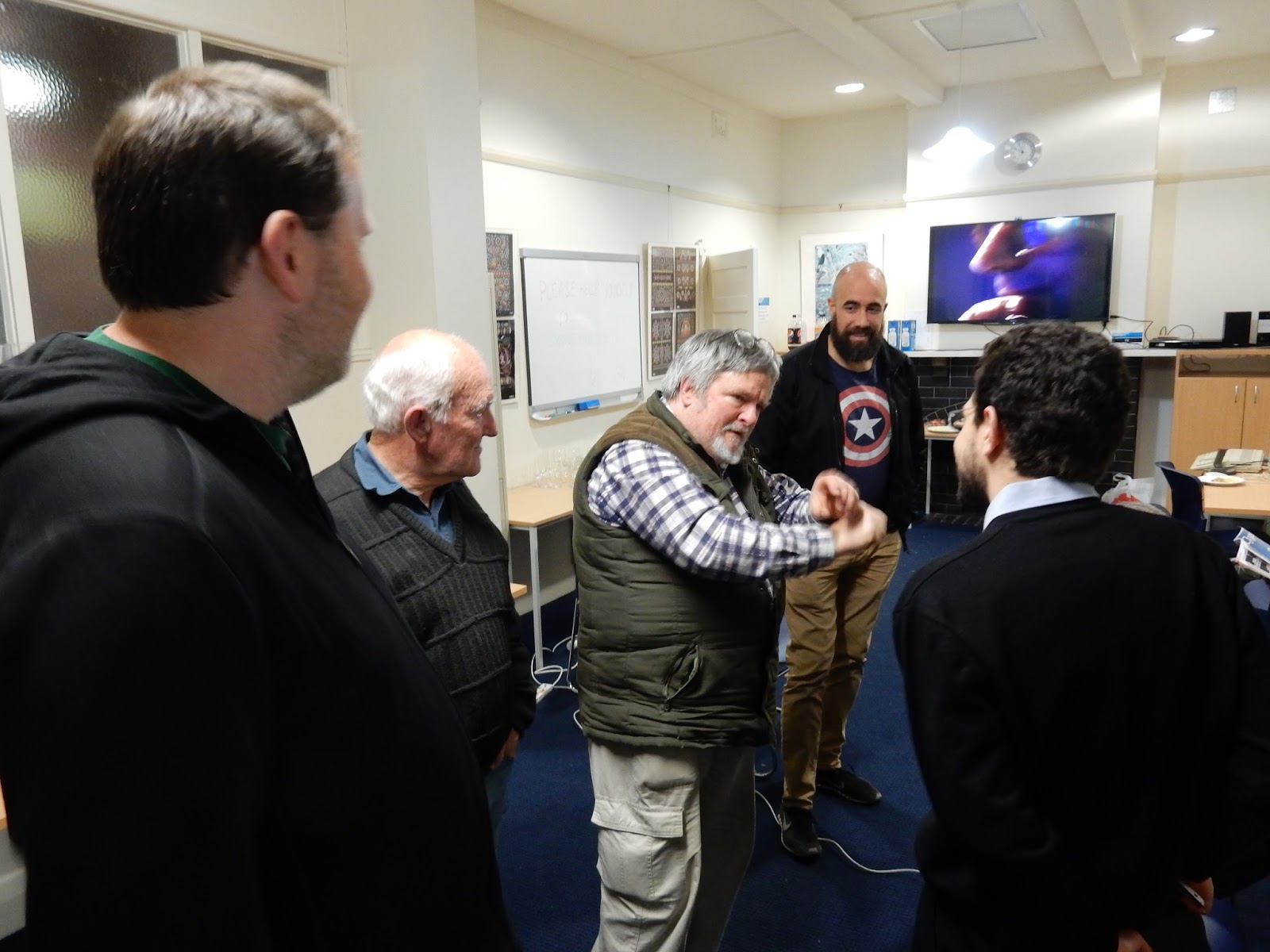
I sat down with Theo Karagiris early last Month and discussed his interest in Vintage Computing. Our discussion covered his Altair 8800 among other topics.

Theo: I am a software developer. I develop in
Microsoft.net – I’ve been doing that for about seventeen years.
Q: The reason we’re interviewing you
is to find out a bit more about your interest in vintage computing. Would you like to tell us how you started?
A: From
a young age – early teenager, I guess – I was really interested in
computers. My first computer was a
VIC-20, then I had a Commodore 64 and I think an Amiga 500 after that. After that, I started getting into the
PC’s.
Actually,
between the Amiga 500 – that I had when I was probably about twenty-two,
something like that – between that and my next computer, there was quite a
gap. So between about twenty-two and
twenty-four, I guess – when I started university was when I started getting
into PC’s.
I
guess with the vintage computer thing – when I was younger – I was just really
interested in computers, mostly because of games and just computers in general
I had a real interest in in any sort of computer – like the old IBM PC’s. Any computer I saw – because growing up in
the 80’s, all the machines that were around during those times, like the IBM
PC’s and all the Commodores and Amiga’s and that sort of stuff, just really
took a great interest.
I
guess I just got to the stage a few years ago where the first vintage machine
that I actually bought was the Altair.
Obviously when I went to university – after I graduated and I started
working – I started using Visual Basic and that’s what got me interested in the
Altair because of the history of Basic.
So,
over the years I looked around to get my hands on an Altair. In fact, it started about 1997, I reckon,
when I first started working is when I first started becoming interested in the
Altair. But it wasn’t until 2011 that I
actually managed to get my hands on one.
So over the years, I’d look every now and again and have a bit of
interest, trying to get my hands on one but it never happened.
But
then eventually, in 2011 I saw this one advertised and made the guy an offer –
probably a lot more than what it was worth back then – and he accepted and I
got my hands on that. That was actually
the first one that I had, so I was kind of starting off with a big ticket item.
From
there, as a result of just doing research on the Altair, I just got the idea of
collecting all those machines that I used to love when I was younger but could
never afford.
What
I do is; I just typically look around and if I spot something that is
available; someone is selling locally, I would snap it up. So it’s been about five years now – that’s
why you see all this junk around the place.
The
Macintosh’s were good because I never really had much experience with those, so
it was good to get my hands on those because it was something new. I had never used it much back in the day. It was more Amiga’s and Commodores and early
PC’s. So it was good to learn about the
Macintosh’s and the Apple 2. I’ve got an
Apple II, which I haven’t ever really used – I’ve just got it there for – one day
– tinkering with.
I
do a lot of research for the various computers that I have and just learn a bit
about the history behind them. It’s
always good if you can get your hands on it too. It motivates you to learn about it and tinker
with it as well. The other good side
about it, is that you can tinker with it and get it working. It’s a good buzz.
So
that’s really where the interest came from and what keeps me motivated – just
collecting them and getting them working and that sort of thing.
Q: Out of your entire collection,
which are some that you consider your favourite?
A: Probably
the Altair – just because it’s a bit different.
It’s different to pretty much every machine. Yeah, it’s got switches and – the good thing
about the Altair is that via the front panel, you can see the computer working;
you can see what’s in the memory and all that sort of stuff. So it takes a bit of the mystique away of
computers and how they work. And you can
manually deposit memory and that sort of thing that you can’t really do on any
other computer. That’s one of my
favourites.
I
guess the Mac’s too; the early Macintosh’s – the all-in-one’s – they’re pretty
cool because they have got the little CRT screen; first graphical OS,
which is pretty cool. So I’ve mucked
around with those a fair bit.
The
old IBM PC, I use that every now and again – like DOS games and all that sort
of stuff you can run from those machines.


Q: What are your main uses for the
vintage machines? I know you touched a
little bit on it.
Theo: I
didn’t really ever sit there, I guess, and use them for anything that
useful. It’s more just fun; just seeing
what I can get running on them.
For
example, this compact portable – I got that last week. I guess the first thing you do is just turn
it on; see if it works. If it doesn’t
work, then investigate why it doesn’t work.
This is a classic example.
Someone had brought this home – well in fact, the guy – at his house –
he demoed it for me and it pretty much would come up with a – it wouldn’t load
the system or anything but I could see it powering up, so I thought ‘fair
enough, I’ll get it’. Then the challenge
is to try and get everything working
With
this, from when I picked it up, it pretty much didn’t do anything at all. It powered on but you couldn’t really type
anything because you couldn’t load DOS or anything like that. It was just a matter of getting the startup
disk; downloading an image for the startup disk, putting the startup disk in,
and configuring the hard drive.
Now
the thing is – over time – it had lost the iOS configuration because the
battery had obviously gone dead. All I
did was create a setup disk for that; setup the floppy in the hard drive and
the whole thing just worked again – boot it up to DOS via the hard drive. At the moment I’m just trying to load Windows
on it – Windows 3 – so I’ve just been tinkering with that. So that’s mostly what I do, try to get them
working.
Another
thing I like to do is whenever anybody comes out with a modern bit of hardware;
these old machines, I like to tinker with that and get it working. A good example is, with the Altair; the guys
brought out the FDC PLUS, which is a modern floppy controller for it. I bought one of those, got it working in
there.
Another
guy, called Martin Eberhard has recently developed an EPROM program for 2708 EPROMS,
which are the older EPROMS that that uses.
So I’ve recently ordered one of those.
So, I’ve got that coming from overseas.
That’s a bit of a kit, you’ve got to assemble it and stuff but that
should allow me to program the old style 2708 EPROMS, which the Cromemco Bytesaver
– that Carter was talking about – Cromemco Bytesaver uses for the Altair. I’ve never been able to get the original EPROMS
to work.
That’s
always fun when someone creates a new bit of hardware, to get that working with
the old equipment. That’s done quite a
bit because of things like floppy emulators; disks are getting old and hard to
come by now. So a lot of guys are
creating floppy emulators, like the ones for Macintosh. So it’s always good to tinker with that sort
of stuff. That’s a lot of what I do –
little hardware projects like that.
But
in terms of using them for anything useful; like daily use, I don’t really do
it. I play the odd game – like on the Amiga
500 but to be honest, it just doesn’t really hold my attention for too
long. It’s more just the tinkering and
that sort of thing that I like to do.
Get a bit of software running on there, see how to configure it and
stuff like that. That would be the sort
of day to day –
Q: Do you find that there is
anything about the old machines that the new ones’ don’t match up to? Do you think that technology has actually
improved? Or do you feel there is
something there that the new machines don’t incorporate?
Theo: Obviously,
new machines have improved. The type of
software you run on them, games especially are pretty mind-blowing compared to
the old equipment. And also the
multitasking; we don’t realise how good the modern day multitasking
environments are compared to these old machines. I guess one thing – I’ve heard other people
say as well – that the newer machines lack is that sort of simplicity; how
simple they were.
Another
good thing about the old Commodores, for example, was that you could learn
things like Basic. You had the manual,
which had how to learn programming and basic – where I think a lot of that is
lost on the newer machine. A new machine
– you can pretty much run anything under the sun on it. If you want to, you can run basic or any
other java or any other development language on there but there is not that
real emphasis on learning how to program.
Just
the simplicity of it, I guess. The new
machines are a lot more complicated; there’s a lot more things you can do. With the internet, I guess that’s what most
people do these days; they get on the internet.
That’s where the focus is, rather than learning programming and all that
sort of stuff; that people used to do with the older machines.
Q: Did you have any experience with
the old Bulletin Boards?
Theo: A
little bit. I probably came into that
whole thing fairly late. I remember –
what’s the first machine I would have had – in fact, I had a modem for the VIC-20
and I did get onto some Bulletin Boards with that. It used to be the old acoustic coupler hand setting. In fact, I tried to get my
hands on one of those.
There’s
an acoustic coupler called ‘data products’ or something and it’s this really
funky-looking, flexible thing that takes a handset and is 300 baud. That gives you an idea of how slow it is, but
I used to have one of those plugged into the VIC-20. And I’ve tried to get my hands on one – I’ve
seen a couple go up on eBay but it always goes for astronomical prices. The last one, I think was like one hundred
and fifty bucks, so they’re pretty popular amongst the other nostalgic enthusiasts,
like me.
I
did get onto some Bulletin Boards, which were hugely expensive. You pay like – this is back in the mid-80’s –
you could pay like twelve dollars an hour – so
that wasn’t a good thing. I think I
wasted a fair bit of money on those but that was the earliest experience.
But
then, probably for a little while – I reckon at some stage, I had a PC – yeah,
it was back in mid-90’s I had a 286 PC and it had a modem in it; like a 1.4K
modem and I did get on some Bulletin Boards with that. That was in the early days, just before the
internet came along – that’s people still doing the Bulletin Board thing. So, I did jump onto a few dial up Bulletin
Boards with a PC but there was a huge gap in the middle between doing that and
the VIC-20 stuff. I never had a modem
during that time.
Q: The other week, you attended our
event and presented the Altair. What was
your experience of that whole presentation for you? How did you find peoples’ reactions to
it? Was it like you expected?
Theo: It was actually better than I expected.
I didn’t really know what to expect because I have never been to group
gatherings before; I didn’t really know what to expect. But I found the crowd there to be right into
it, you couldn’t get a more enthusiastic crowd for the Altair. They were really interested. They took photos; took pictures, came and
looked inside, talked at length about it and that’s great. You can’t get better than that. It’s really just the right crowd to present
that sort of stuff to. It’s great
because I like it as well. I’ve spent
hundreds of hours researching the Altair, so it’s really good to talk to people
who are into that stuff.
Because
the average person who comes here – they’ll take a look at it and they’ll say
“oh, that looks cool” but don’t really want to know that much about it because
they are not really into that sort stuff.
Oh, you talk to them a little bit about it but they don’t really want to
know anything in depth.
That’s
what I found at the group meeting, that it was really enthusiastic and really
interested and focused on it. I found it
really good.


Q: Do you have any dream machines
that you would like to own?
Theo: Not
really, to be honest. The Altair was the
dream machine for me; that’s the one I really wanted. But I can’t say anything’s really motived me
that much since getting that. Like I
said, there’s a big difference between that and the other stuff that I’ve got
because the other stuff that I’ve got, you could probably get somewhere, but
you can’t really get an Altair – especially these days. It’s been five years since I got one. They are a lot harder and a lot more expensive
to get now. So that was the thing for
me.
It’s
hard to explain why I was really that interested in it, to be honest. It was just something I got obsessed
with.
It
took me almost two years to get it working as well, so it was a real challenge. It
was a ‘couldn’t say die’ challenge. I
just kept at it and spent quite a bit of money doing it too. But it was worth it in the end; a good
achievement to get something like that working.
I’ll
tell you – because I was pretty naïve when I first bought that machine. Because in the past – before that – I
tinkered with PC’s and cards and whatever else, so I thought the Altair was
going to be like that. But of course,
it’s not like that. It’s obviously
totally different. You’ve got to have
soldering skills, engineering knowledge and all that sort of stuff, to fix
stuff. I sort of bit off more than I
could chew because I don’t have any of those skills, so I had to ask for a lot
of peoples’ help in the Altair group and that sort of thing. But luckily, there’s other guys who are right
into it as well, that are a lot more knowledgeable about engineering and stuff,
than me so they were quite happy to help, which I found really good.
Q: We’ve spoken about the Altair. Now, you mentioned that you spent two years,
getting it going. Are you interested in
discussing what exactly you did to get it working? Is that okay?
Theo: Yes,
sure. Like I said, I was pretty naïve
when I bought the Altair. I knew the
history behind it and I knew I wanted one, but I didn’t actually know much
about the machine itself; any in depth research about the machine itself.
The
one that I actually bought was one that I saw advertised on this website and
the guy did a pretty good job of showing what components were included in
it. I thought it was pretty
comprehensive. It had the manuals – I’ve
got the original manuals and all that sort of stuff. And one good thing he showed was that it
actually worked from the front panel, he actually gave a bit of a demo. I thought that was great because compared to
most of them you see advertised, they don’t come with a lot of extra
stuff. A lot of the time, they don’t
even – the seller doesn’t even show them powered on; or working, but I knew that
this one worked from the front panel at least, so I thought it was a good
option.
I
gave the guy an offer and he accepted it and I got the machine. So I kind of thought I would work out the
rest once I got it, which is a bit naïve.
Because the thing that I was missing – that you really need to get the Altair
working – is a serial cards and unfortunately this machine didn’t come with a
serial card. It came with a whole bunch
of cards, like it had about four memory cards.
It had a cassette interface, where you could plug in a tape drive. It had a parallel card, which he used back in
the day for a terminal. So, it came with
a couple of parallel cards but unbeknown to me – back in the seventies – these
parallel terminals were available. He
had one that he had actually built himself, to use the machine with. But today, you just can’t find them.
The
guy I bought the Altair off was actually selling his parallel terminal but he
wasn’t selling it together with the Altair.
As it happened, I got this Altair but it’s got no serial card and I
eventually learned from doing a bit of research, it really needed a serial card
and they are not easy to come by.
The
thing is, there is lots of plug-in S100 cards but unfortunately, back in those
days, they didn’t have any standards so each serial card was pretty much made
for each different manufacturer and you couldn’t just take a serial card that
was made for another S100 machine and plug it into the Altair. Because the way the software loaded, they
need to have certain configuration and most of them would be different.
I
needed to do – like I said – hundreds of hours of research to figure out what
to do and obviously, the original MITS serial cards were pretty much as rare as
hens’ teeth; you just couldn’t come across them. I found a few guys that had them posted on
websites and I would try to get in contact with them and offer them money – to
get my hands on them – but I never could.
I
bought one particular serial card, it was a cromemco serial card which I tried
to get working on the Altair but it would never work. It actually could be used with an 880
processor but just could never get that one to work.
But
then just doing the research, I discovered that there is a particular serial
card made by a company called “Solid State Music” that is compatible with the
Altair; you can actually configure it to replicate an Altair serial card. So I managed to get my hands on one of those
for about a hundred dollars, U.S. – and this was a few years when the exchange
rate was pretty good, compared to now – and then I had that card for probably
about a year, trying to configure it to get it working on the Altair – could
never get it to work.
Eventually
– it was probably around 2013, 2012 – I saw another Altair for sale – which is
that one down there, an Altair B model – and it was pretty junked out but the
good thing about it was it had an Altair serial card in it, a two channel
882SIO they called it; the MITS 882SIO and it had a number of other cards, with
disk controllers in it and I bought that machine – maybe because it had the
serial card in it. So I gave the guy an
offer and it was reasonably cheap because it was a non-working machine. I figured if I could take the serial card out
of that and put in my original Altair, which does work, I could get the whole
thing working.
So
as it happened, I got that machine and luckily figured out – after a little
while – the way that the serial card was jumper’d wasn’t the standard way. So I have to re-jumper it to give it the
standard port address but it did work. I
plugged it into my original Altair, got it working and was over the moon. It had been like a couple of years that I had
tried to get it working. And that kind
of motivated me to go back to my Solid State Music serial card and get that
working. So I communicated quite a bit
with this guy called Mike Douglas in the U.S, who is a real Altair expert, and
he gave me a lot of info on how to get this Solid State Music card configured;
and eventually I got that working too.
So now I have two working serial cards – the original MITS one and the
Solid State Music.
As
it happens, the Solid State Music card is actually more reliable and better to
use, so I keep that one installed in the Altair.
So
that was pretty much the challenge of getting it working. Luckily, when I bought it originally I had
some working memory cards, but they were pretty small. I had a couple of 4K memory cards. One worked properly, like you would get full
use of the 4K and the other one, you could get use of about the first 3K. So about 7K, which isn’t a whole lot of
memory. You need a bit more than that to
run things like CPM, so I picked up a 64K Californian computer System S100
card. So that’s been really good. That works in the Altair; that’s a dynamic
memory card and it’s dated a few years later, about 1981, so it’s a bit more of
a modern card.
Luckily
for the old S100 machines, there’s quite a few memory cards around and luckily
they work across many machines. As long
as it’s compatible with the CPU but serial cards are the big thing with the
Altair. I’m not alone because there’s
other guys always looking for Altair serial cards.
As
it happens now, I’m getting a little annoyed because there’s a couple on eBay
that are for sale. After years and years
I never saw one for sale but there’s a couple that have sold recently. Eventually they do come up, but it takes a
long time. And the people that have got
them don’t sell them. You can contact
guys that have got them and say ‘how much do you want for it?’ but they just
don’t sell them. You’ve got to be lucky
to get your hands on one.
So
that was the main challenge in getting it working; just getting a working
serial card. Once I got that up and
running and understood how it worked – and I’ve actually written a guide,
there’s a guide on my website on how to configure the Solid State Music serial
card for the Altair, which I know quite a few people have read because they
take that as a pretty good option.
Because a Solid State Music IO4 – it’s called – they are actually more
readily available than the original MITS serial cards. There’s probably a lot more of those floating
around than there is original Altair serial cards. If someone can get their hands on one of
those, they can get their Altair working using one of those.
So
that was the biggest challenge in getting it working.


Theo's website, which has more photos of his items and blog discussions is available here: http://www.tkc8800.com